No cookies, no banner for our stats
We never set a tracking cookie or a localStorage id. IPs are used in memory for coarse geo, then discarded. Uniques are a daily hash that rotates at UTC midnight. Reject still counts.
 Pulse
PulsePageviews and events fire from one script — no cookies, no banner required. Need GA4, GTM or HubSpot too? Brand the bar in the same product. Those scripts load only if the visitor says yes. Pulse always runs.
Overview
example.com
Pageviews
8,423
Visitors
3,104
Events
1,286
Conversions
186
Pageviews · last 7 days
Top pages
Top sources
Top countries
Realtimelive
We never set a tracking cookie or a localStorage id. IPs are used in memory for coarse geo, then discarded. Uniques are a daily hash that rotates at UTC midnight. Reject still counts.
pulse.js is small and deferred. Collect already allows every origin — you don’t set CORS on your server. fetch and sendBeacon both work.
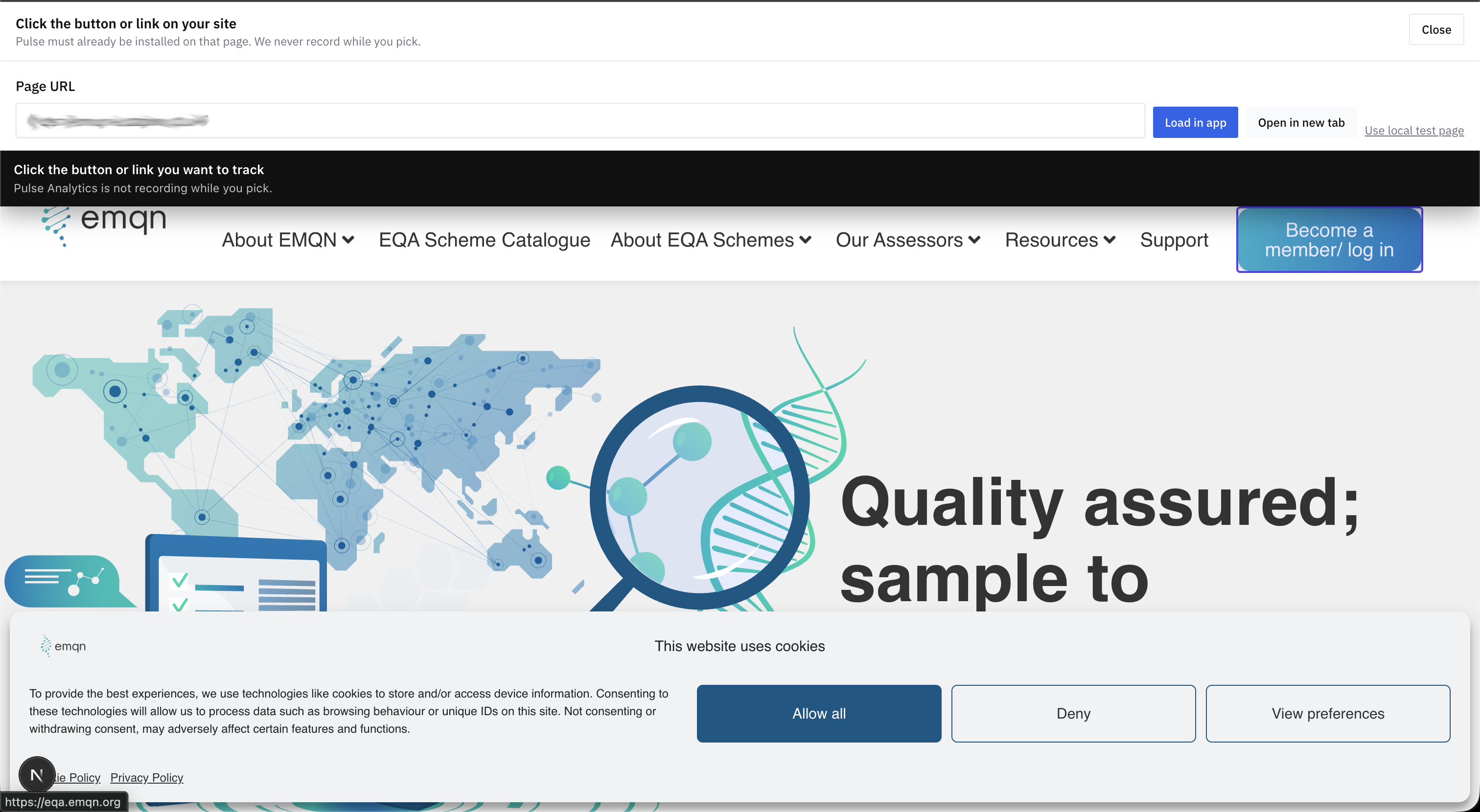
Add a Click or Form on the board, open your site from the app, click the element. No GTM trigger, no CSS class. Publish and the script binds it.
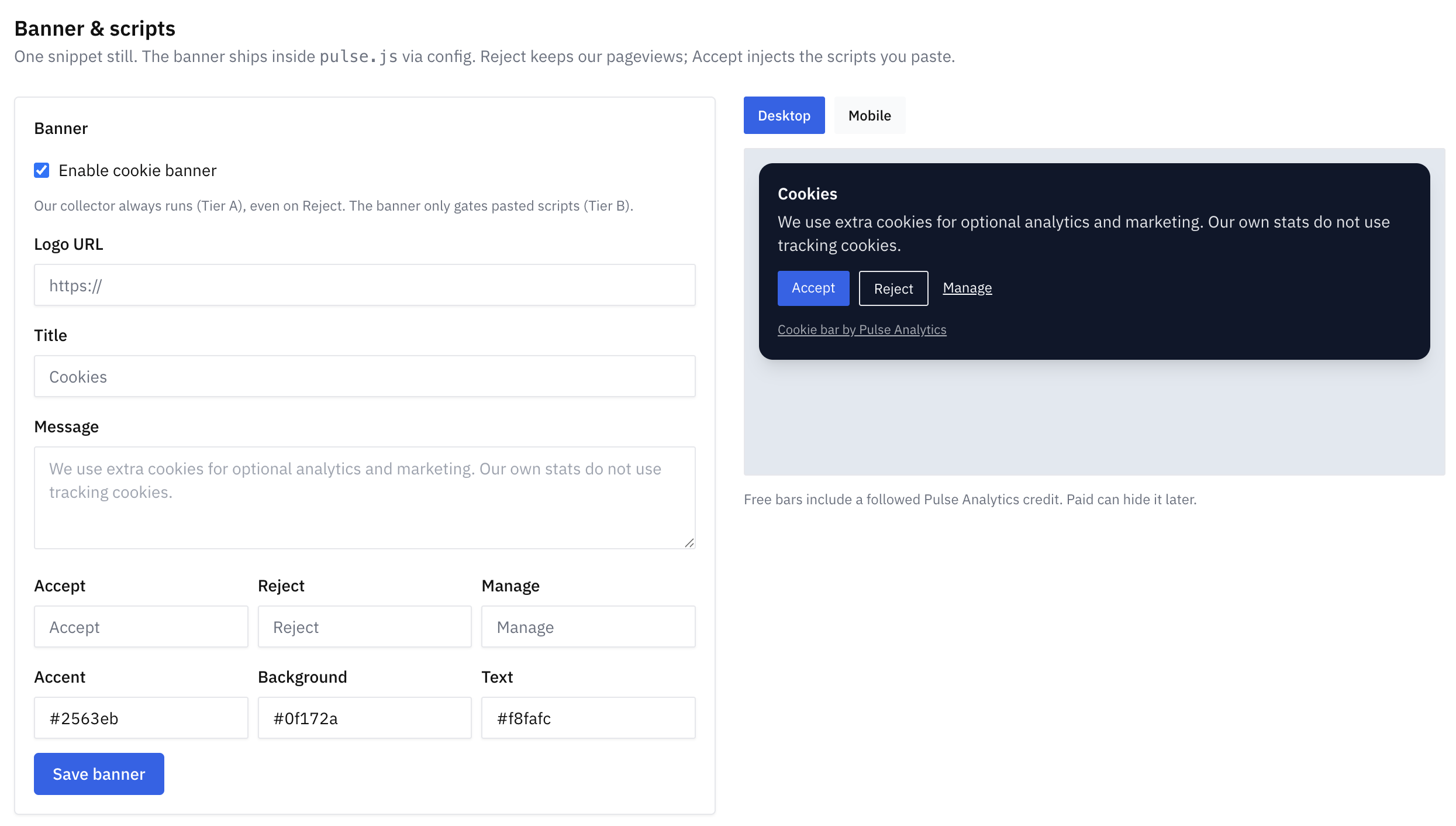
Still need GA4, GTM or HubSpot? Paste them in. The bar gates those tags. Our pageviews fire either way. One snippet on the site, not three.
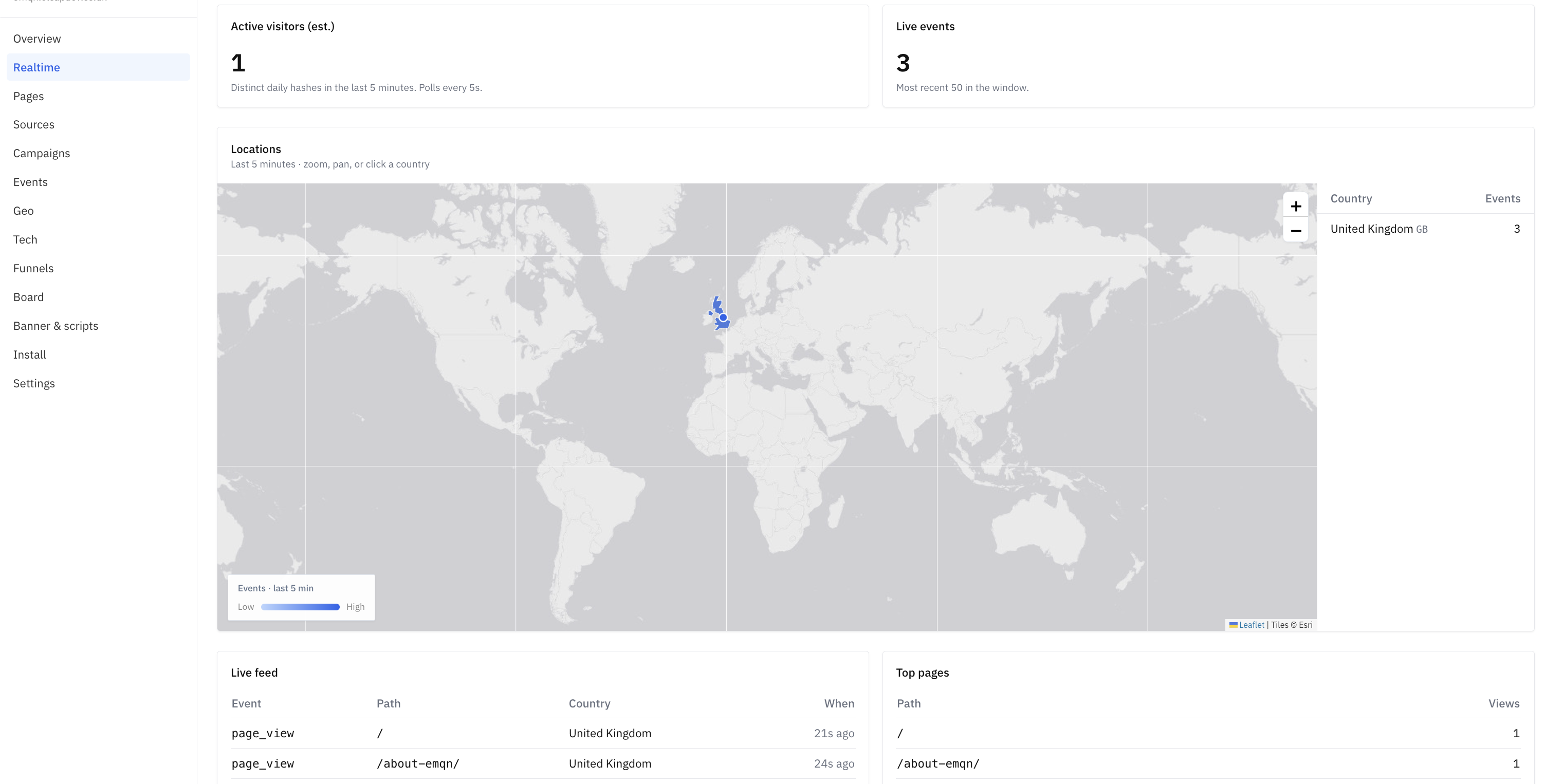
Last five minutes, live. Then pages, referrers, UTMs, events, geo, tech and funnels from the board you published. Sessions are an estimate — we say so in the product.
Events are defined once and always hit Pulse. Turn on GA4 and we POST Measurement Protocol too. HubSpot is the same idea. Secrets never go to the tracker.
No container, no debug view, no waiting on a developer for a CSS id.
1
Create a site. Install shows one script. Webflow, Framer, WordPress or raw HTML. Pageviews start on the next refresh.
2
On the board, add Page, Click, Form, Conversion. Open your site and click the element. Connect nodes for funnel order. Publish.
3
Realtime in a few seconds. Overview, pages, events and funnels are real queries. Optional: turn on the bar for third-party tags.
The board, the banner, and live events — not a stock photo.
You shouldn’t need GA4, GTM and a consent tool to find out if the contact form worked.
Cookie banner
Identifiers
Click / form tracking
Time to first pageview
Keep Google anyway
| GA4 + GTM + a banner | Pulse | |
|---|---|---|
| Cookie banner | Often blocks your own stats too | Only for extra scripts you paste |
| Identifiers | Cookies, client ids, sometimes ads | No tracking cookies. Daily anonymous hash |
| Click / form tracking | Triggers, variables, preview mode | Click the element on your live site |
| Time to first pageview | Account, stream, container, debug | Paste snippet, refresh |
| Keep Google anyway | You already live there | Optional. Same Pulse event can fan out to GA4 |
Full write-ups: vs Google Analytics · vs Plausible · vs Fathom · vs Simple Analytics · for agencies
Hosted on this origin with collect. If you can paste a script, you’re done. After login, Install fills in your real site key. Webflow, Framer, WordPress, Squarespace, Shopify.
<script defer src="https://getpulseanalytics.com/pulse.js" data-site="YOUR_SITE_KEY"></script>
Not for Pulse. Our collector is cookieless and always on. Add a banner only if you’re loading third-party scripts (GA4, GTM, HubSpot, ads). Pulse can inject that banner for you, branded, from the same snippet. The free bar includes a Pulse Analytics link back to our site.
No. You get overview, realtime, pages, sources, events, geo, tech, campaigns and funnels. You don’t get Explorations, BigQuery export, user-id stitching or a map of named people. We don’t do session replay or heatmaps.
A hash of IP + user agent + site + UTC date + a secret, rotated every day. The IP is used in memory for coarse geo, then discarded. It’s an estimate. Bounce and sessions are estimates too. That’s the trade for not following anyone across days.
Yes, if you turn it on per site. The event is stored in Pulse first. Then we POST to GA4 Measurement Protocol. If Google is down, your dashboard still has the row. HubSpot is the same idea, and skipped when there’s no email to identify.
One script tag with your public site key. That’s pageviews, custom events, the board binds, and the cookie bar if you enabled it. Log in, create a site, copy it from Install.
Sign up in seconds — no account setup, no card. We email you a login link. Create a site, paste the snippet, you’re counting.